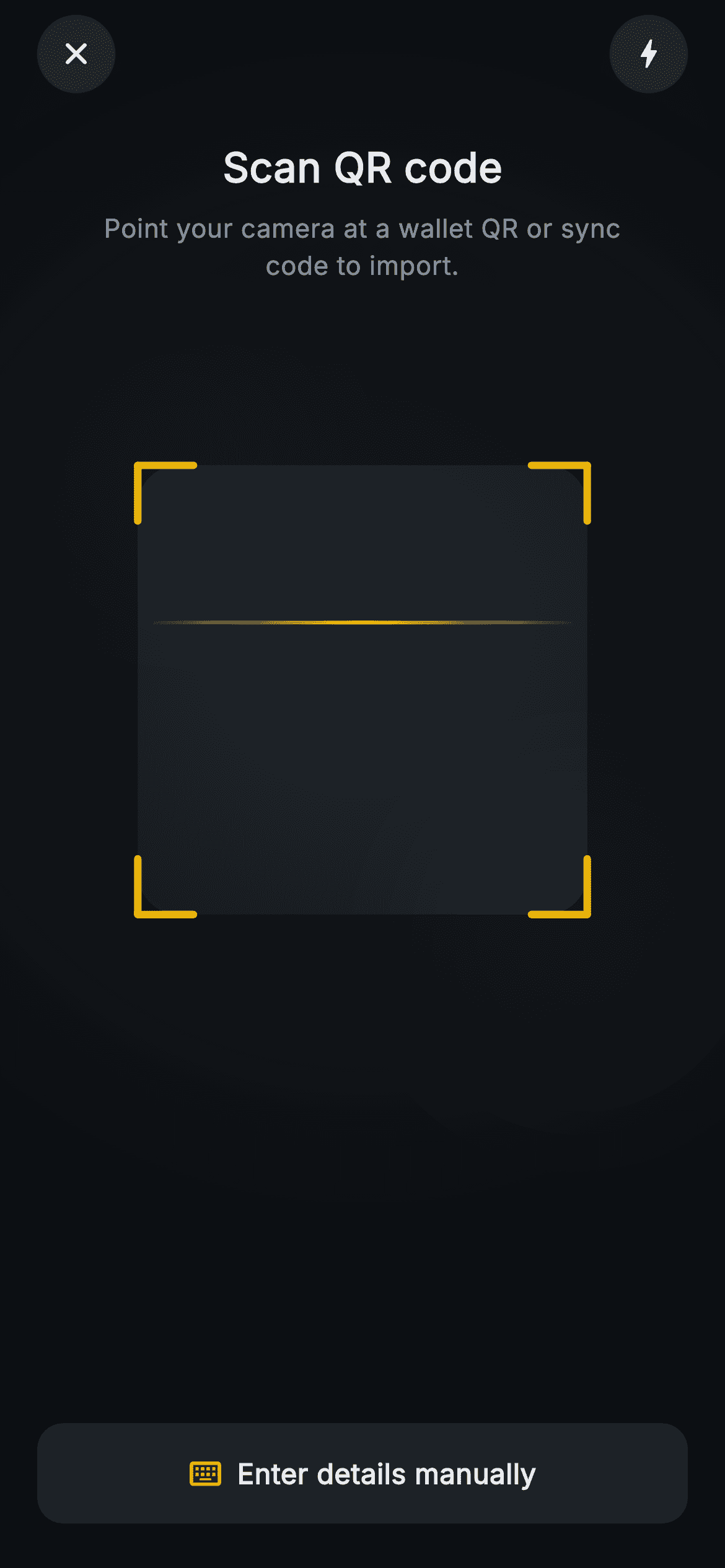
Aurum · Scanning QR
Aurum · Scanning QR is a production-ready Web3 Flutter screen from FlutterKit — free, with full source code.
A full-bleed dark scanning screen for importing a Web3 wallet by QR. The entire "camera" surface is hand-painted by a single CustomPainter: a radial gradient backdrop with two soft blurred white blobs faking a live feed, a centered rounded reticle window cut out of a 62%-opacity dimming overlay, four gold (0xFFF0B90B) L-shaped corner brackets, and a horizontal gold sweep line whose y-position is driven by a 2000ms AnimationController set to repeat(reverse:true) — gradient-faded at both ends so it glows as it travels. Over the canvas sit a "Scan QR code" title and the muted helper line "Point your camera at a wallet QR or sync code to import." Two circular translucent glass buttons pin the top row — a close X and a torch bolt — and a full-width "Enter details manually" pill at the bottom carries a keyboard icon. It is pure Flutter (Flutter SDK + dart: only), forces a dark Material 3 theme so it renders standalone as a route, bundles the Inter font, uses no real camera or network image, and wires onClose, onTorch and onManualEntry as backend-agnostic callbacks.
Full tutorial coming soon.
The step-by-step walkthrough and complete Dart source for this screen haven't been published yet. They'll be free when they are — no sign-up, no payment. In the meantime, browse the screens that already have their tutorial.
What's included
- ✓web3_import_scanning_screen.dart — a single self-contained StatefulWidget with no plugin or network dependency
- ✓_ScannerPainter CustomPainter drawing the faux camera gradient, blurred blobs, evenOdd dimming overlay and rounded reticle window
- ✓Four gold corner brackets plus a gradient-faded sweep line animated by a 2000ms repeat(reverse:true) AnimationController
- ✓Two circular _GlassButton controls (close X, torch bolt) on translucent white fills wired to onClose and onTorch
- ✓Full-width 'Enter details manually' pill with keyboard icon firing the onManualEntry fallback callback
- ✓Forced dark Material 3 theme, bundled Inter font, and the Aurum palette (0xFF0B0E11 bg, 0xFFF0B90B brand gold)
Use cases
- ✓Crypto wallet import flow that scans a wallet QR or device sync code
- ✓Web3 dApp onboarding where users link an existing wallet by camera
- ✓Hardware-wallet pairing screen that reads a sync QR before connecting
- ✓Exchange or DeFi app account-recovery step offering scan plus manual entry


