Aurum · Enter Private Key
Aurum · Enter Private Key is a production-ready Web3 Flutter screen from FlutterKit — free, with full source code.
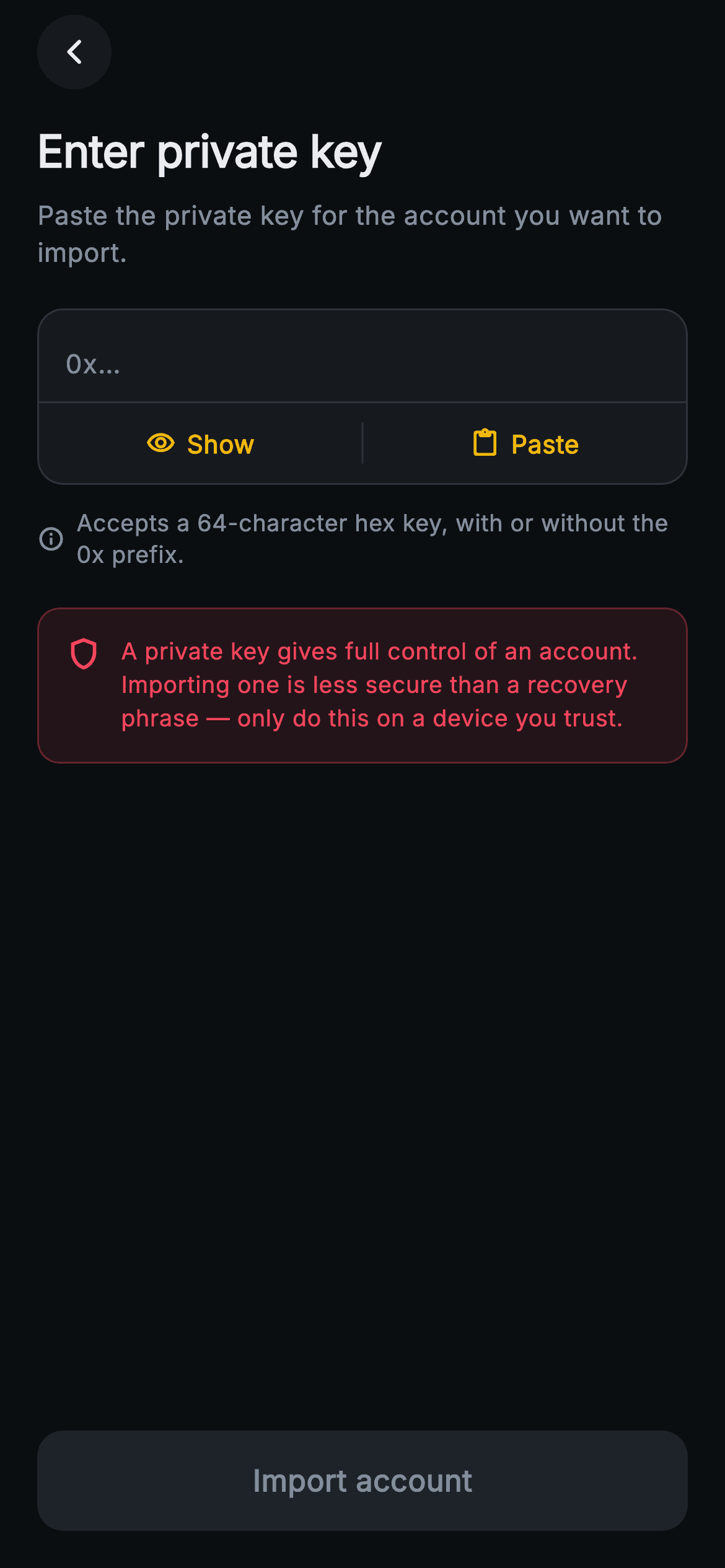
A focused "Enter private key" step for the Aurum Web3 wallet, rendered on a near-black #0B0E11 background with bundled Inter type. A 40px circular back button sits top-left, followed by a 24px bold heading and a muted subtitle telling the user to paste the key for the account they want to import. The core is a rounded #161A1E input card whose border turns Binance-gold (#F0B90B) once text is entered: a TextField with an "0x…" hint, autocorrect and suggestions disabled, obscured by default (obscureText) and switching between 1 and 3 visible lines. Below a hairline divider sit two gold bar buttons — Show/Hide toggling masking, and Paste (filling a sample 0x hex key) — split by a vertical rule. An info row states it accepts a 64-character hex key with or without the 0x prefix, and a red-tinted shield warning banner cautions that a private key gives full account control and is less secure than a recovery phrase. A pinned 54px "Import account" button stays disabled-grey until the key is ≥16 chars, then turns gold. Pure Flutter, backend-agnostic via onImport/onBack callbacks, no plugins.
Full tutorial coming soon.
The step-by-step walkthrough and complete Dart source for this screen haven't been published yet. They'll be free when they are — no sign-up, no payment. In the meantime, browse the screens that already have their tutorial.
What's included
- ✓Web3ImportPrivateKeyScreen StatefulWidget with onImport and onBack VoidCallback hooks — fully backend-agnostic, no packages
- ✓Masked TextField (obscureText, autocorrect/suggestions off) that swaps between 1 and 3 lines and switches its border to gold once a key is present
- ✓Inline Show/Hide and Paste bar buttons split by a hairline divider, with a sample 0x hex key wired to Paste
- ✓Live validation gate: _valid checks length >= 16 and toggles the pinned 'Import account' button between gold and disabled grey
- ✓Red shield-icon warning banner plus an info hint about the 64-character hex / optional 0x prefix format
- ✓Forced dark ThemeData with bundled Inter font, Binance-style palette (#0B0E11 / #F0B90B / #F6465D), and an icon-based circular back button
Use cases
- ✓Private-key import path in a self-custody crypto wallet onboarding flow
- ✓Advanced 'add account' option in a DeFi or multi-chain wallet app
- ✓Developer/power-user key entry screen for an Ethereum-compatible wallet
- ✓Account recovery alternative for users who hold a raw hex key instead of a seed phrase


