Aurum · Wallet Ready
Aurum · Wallet Ready is a production-ready Web3 Flutter screen from FlutterKit — free, with full source code.
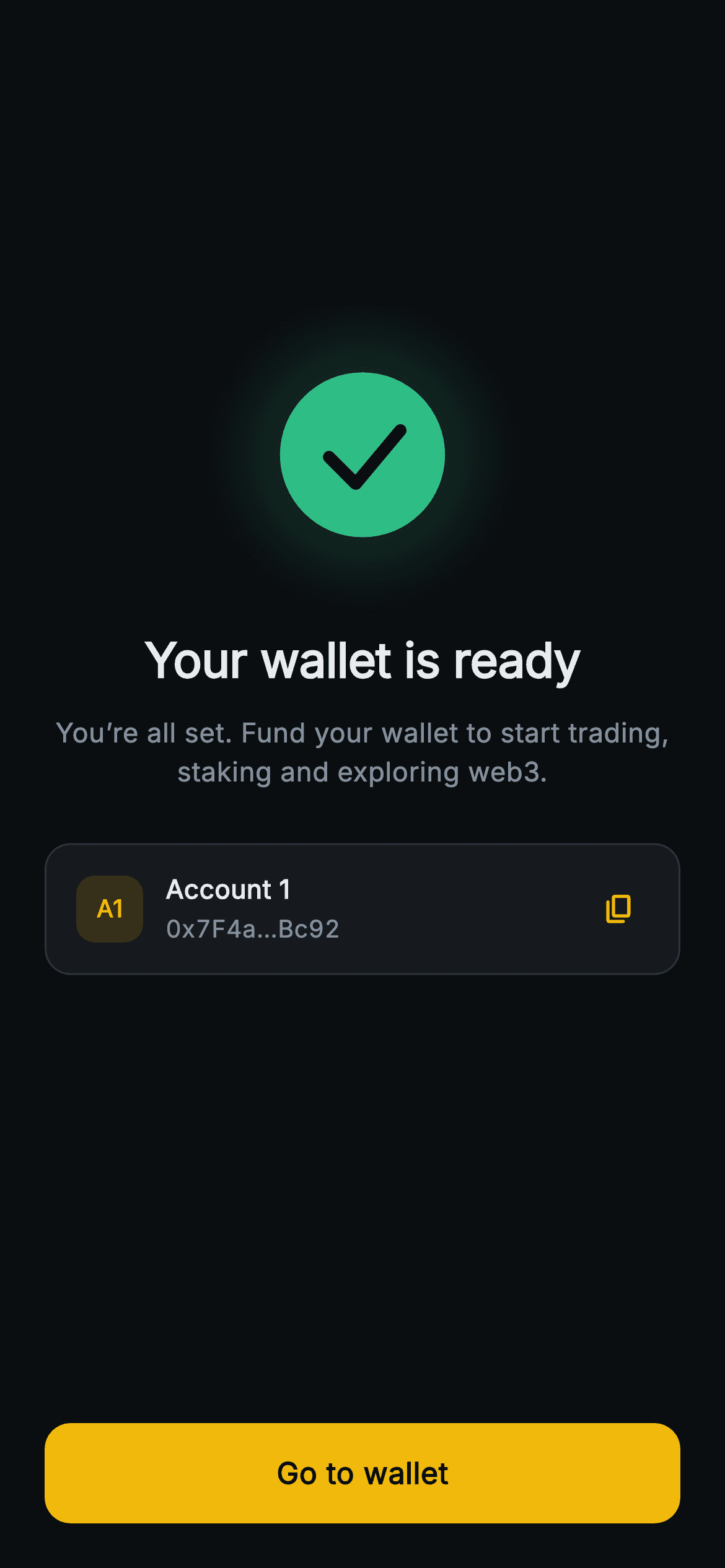
The final step of Aurum's create-wallet flow, confirming the new self-custody wallet exists. Centered in the dark #0B0E11 canvas sits a 120x120 success badge drawn entirely by a CustomPainter (_SuccessCheckPainter): a soft blurred green halo, a solid #2EBD85 disc, and a rounded-join tick stroked in the background color — no image assets. Below it the headline "Your wallet is ready" and a muted line inviting the user to fund the wallet to start trading, staking and exploring web3. A surface card shows the new account: an "A1" gold avatar tile, "Account 1", and the truncated address (default 0x7F4a…Bc92, rendered with tabular figures) plus a circular InkWell copy button in Binance-gold #F0B90B. A full-width 54px gold "Go to wallet" button is pinned to the bottom. Built in pure Flutter (Inter font bundled), it is backend-agnostic: the address is a constructor String and onCopyAddress / onGoToWallet are VoidCallback hooks. Spacers keep it balanced and overflow-proof at any height.
Full tutorial coming soon.
The step-by-step walkthrough and complete Dart source for this screen haven't been published yet. They'll be free when they are — no sign-up, no payment. In the meantime, browse the screens that already have their tutorial.
What's included
- ✓_SuccessCheckPainter CustomPainter rendering the blurred green halo, solid disc and rounded checkmark with zero image assets
- ✓Account card surface with an 'A1' gold avatar tile, 'Account 1' label and truncated wallet address in tabular figures
- ✓Circular Material/InkWell copy button wired to an onCopyAddress VoidCallback
- ✓Configurable address String constructor param (defaults to 0x7F4a…Bc92) for any chain or account
- ✓Pinned full-width 54px gold 'Go to wallet' CTA driven by an onGoToWallet callback
- ✓Forced dark ThemeData, bundled Inter font and Spacer-based layout that stays overflow-proof on any screen size
Use cases
- ✓Final confirmation step after creating a self-custody crypto wallet
- ✓Onboarding success screen for a DeFi or web3 trading app
- ✓Account-created handoff that surfaces the new address with one-tap copy
- ✓Post-import or post-restore 'wallet ready' celebration before entering the dashboard


