Aurum · Confirm Passcode
Aurum · Confirm Passcode is a production-ready Web3 Flutter screen from FlutterKit — free, with full source code.
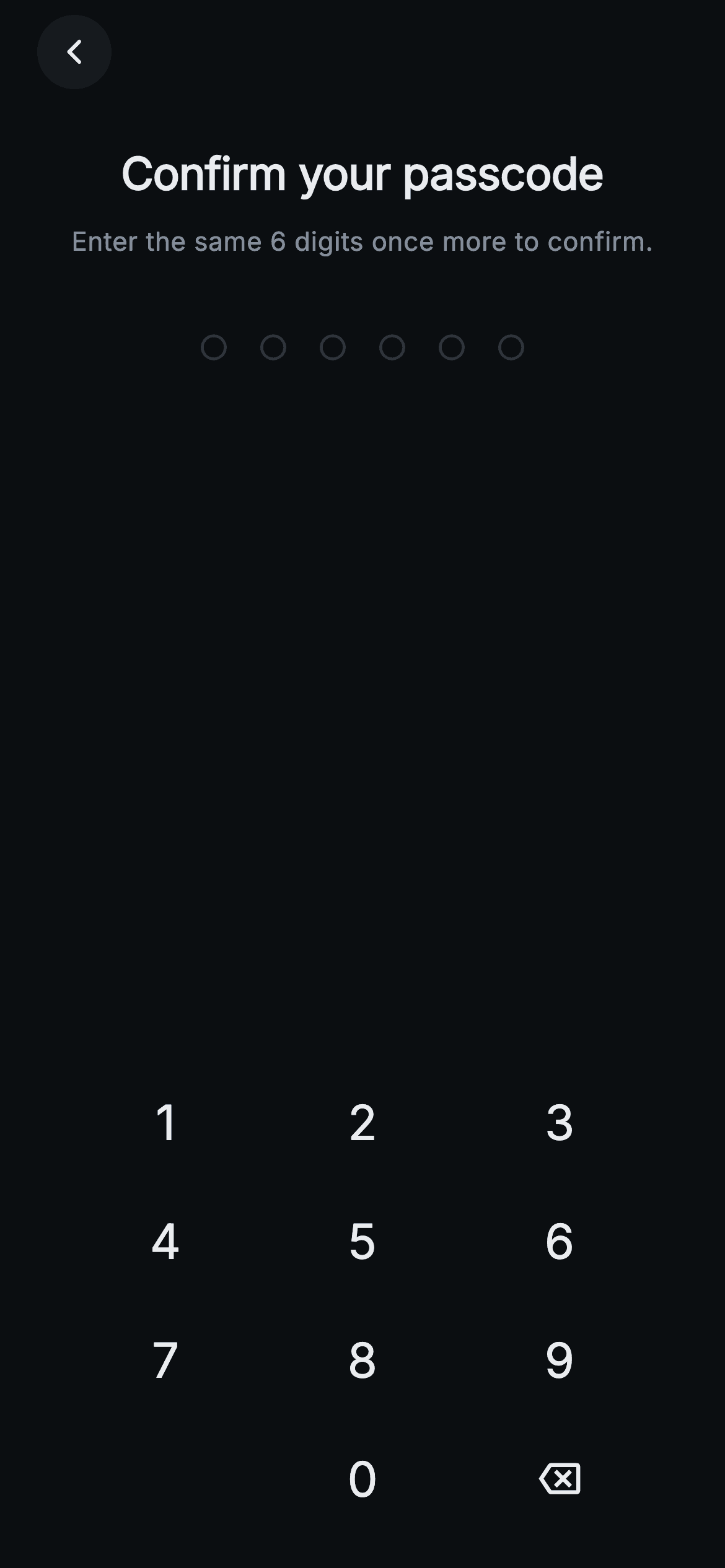
The confirm-passcode step in Aurum's wallet-creation flow. On a near-black (#0B0E11) canvas sit a circular back button, the bold "Confirm your passcode" heading, and the subtitle "Enter the same 6 digits once more to confirm." Below, a centered row of six ring dots fills with Binance-gold (#F0B90B) as digits arrive. A custom numeric keypad (1-9, blank, 0, and a backspace icon) is built from InkWell circles inside Expanded rows — no system keyboard. When the re-entered six digits don't match the expected code, the dots flip to red (#F6465D), a damped horizontal shake plays via an AnimationController and a sine-based offset, the message "Passcodes don't match. Try again." appears, then the field auto-resets. A correct match fires the onConfirmed callback on the next frame. Pure Flutter (Flutter SDK + dart: only), bundled Inter font, forced dark Material 3 theme, graphics done with shaped Containers and InkWell — fully backend-agnostic via onConfirmed/onBack callbacks and a configurable expectedCode.
Full tutorial coming soon.
The step-by-step walkthrough and complete Dart source for this screen haven't been published yet. They'll be free when they are — no sign-up, no payment. In the meantime, browse the screens that already have their tutorial.
What's included
- ✓Single-file Web3CreateConfirmPasscodeScreen comparing re-entry against a configurable expectedCode prop
- ✓Damped sine shake animation (AnimationController + _shakeOffset, 4 decaying cycles) triggered only on mismatch
- ✓Six ring-style _PasscodeDots that fill gold while entering and turn red on error
- ✓Custom _Numpad/_Key keypad (1-9, 0, backspace icon) from InkWell circles, no native keyboard
- ✓onConfirmed callback fired via addPostFrameCallback on match, onBack callback on the circular back button
- ✓Bundled Inter font, forced dark Material 3 theme, inline error line that auto-clears the code
Use cases
- ✓Wallet-creation onboarding where users verify a freshly chosen 6-digit passcode
- ✓Crypto or DeFi app PIN double-entry confirmation before storing a credential
- ✓Secure re-entry step in a banking or payments app sign-up flow
- ✓Any app needing a passcode confirm screen with mismatch shake feedback and auto-reset


