Console · Collapsed Rail
Console · Collapsed Rail is a production-ready Console Flutter Web screen from FlutterKit — free, with full source code.
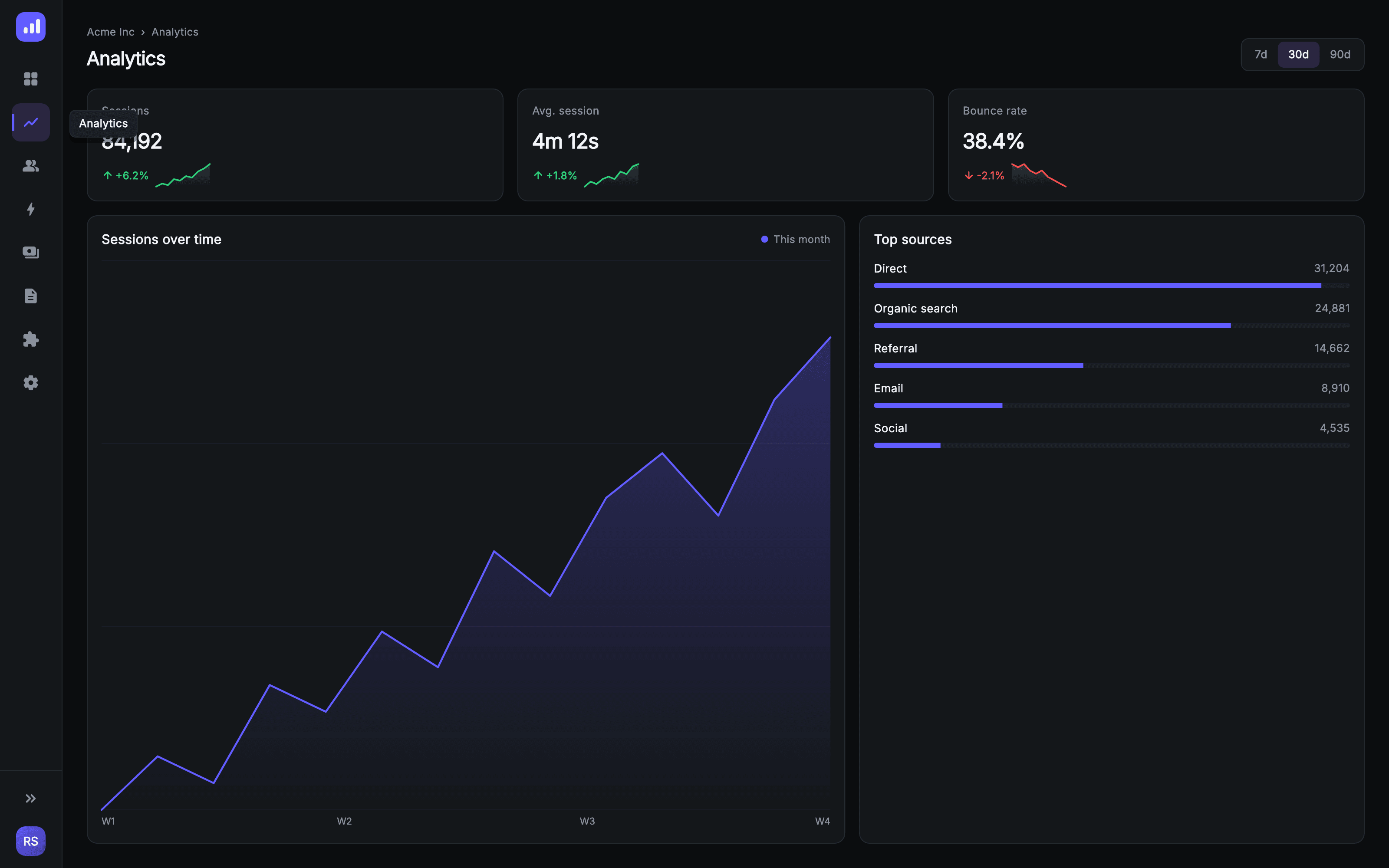
Collapsed Rail is Console's tablet navigation state — the 768–1023px band where the 240px sidebar folds down to a 72px icon-only rail. The rail opens with a _LogoMarkPainter mark, then eight icon buttons (Overview, Analytics, Users, Events, Revenue, Reports, Integrations, Settings) where the active item gets a #2A2540 fill plus a 3px indigo #635BFF indicator painted down its left edge. The hover flyout label is rendered in an overlay layer above the rail rather than inside it, so it escapes the 72px column instead of being clipped — the detail most implementations get wrong. A divider pins an expand-rail chevron and a _MonogramPainter user disc to the bottom. Beside the rail sits a genuine analytics page, not a placeholder: a breadcrumb and 'Analytics' h1 with a 7d / 30d / 90d segmented range control, a row of KPI tiles (Sessions 84,192 +6.2%, Avg. session 4m 12s +1.8%, Bounce rate 38.4% -2.1%) each carrying a _SparklinePainter micro-chart tinted green or red by direction, and below them a two-column row: an _AreaTrendPainter sessions chart with gridlines, a gradient fill and W1–W4 axis ticks, next to a Top sources card breaking out Direct, Organic search, Referral, Email and Social with counts and proportional progress bars. The layout is overflow-proof by test across nine viewport sizes: the KPI row reflows from three columns to two to one, and below 720px the chart and sources cards stack inside a scroll view. Pure Flutter with bundled static-weight Inter and no network images.
Full tutorial coming soon.
The step-by-step walkthrough and complete Dart source for this screen haven't been published yet. They'll be free when they are — no sign-up, no payment. In the meantime, browse the screens that already have their tutorial.
What's included
- ✓A 72px icon rail with _LogoMarkPainter, eight nav icons and a painted 3px active-item indicator
- ✓An overlay-rendered hover flyout label that escapes the rail instead of being clipped by it
- ✓A real analytics content pane — breadcrumb, h1 and a 7d / 30d / 90d segmented range control
- ✓KPI tiles with _SparklinePainter micro-charts tinted green or red by trend direction
- ✓_AreaTrendPainter — a gradient-filled sessions chart with gridlines and W1–W4 axis ticks, plus a Top sources card with proportional bars
- ✓Injected onSelect and onExpand callbacks; verified overflow-free across nine viewport sizes by test/web_console_responsive_test.dart
Use cases
- ✓The tablet-width navigation state of a Flutter Web admin console, between full sidebar and mobile drawer
- ✓A space-saving icon rail for data-dense screens that need maximum horizontal room for charts and tables
- ✓An analytics detail page showing sessions, engagement and traffic-source breakdowns
- ✓A reference implementation of hover flyout labels that correctly escape a narrow rail


