Aurum · Review Swap
Aurum · Review Swap is a production-ready Web3 Flutter screen from FlutterKit — free, with full source code.
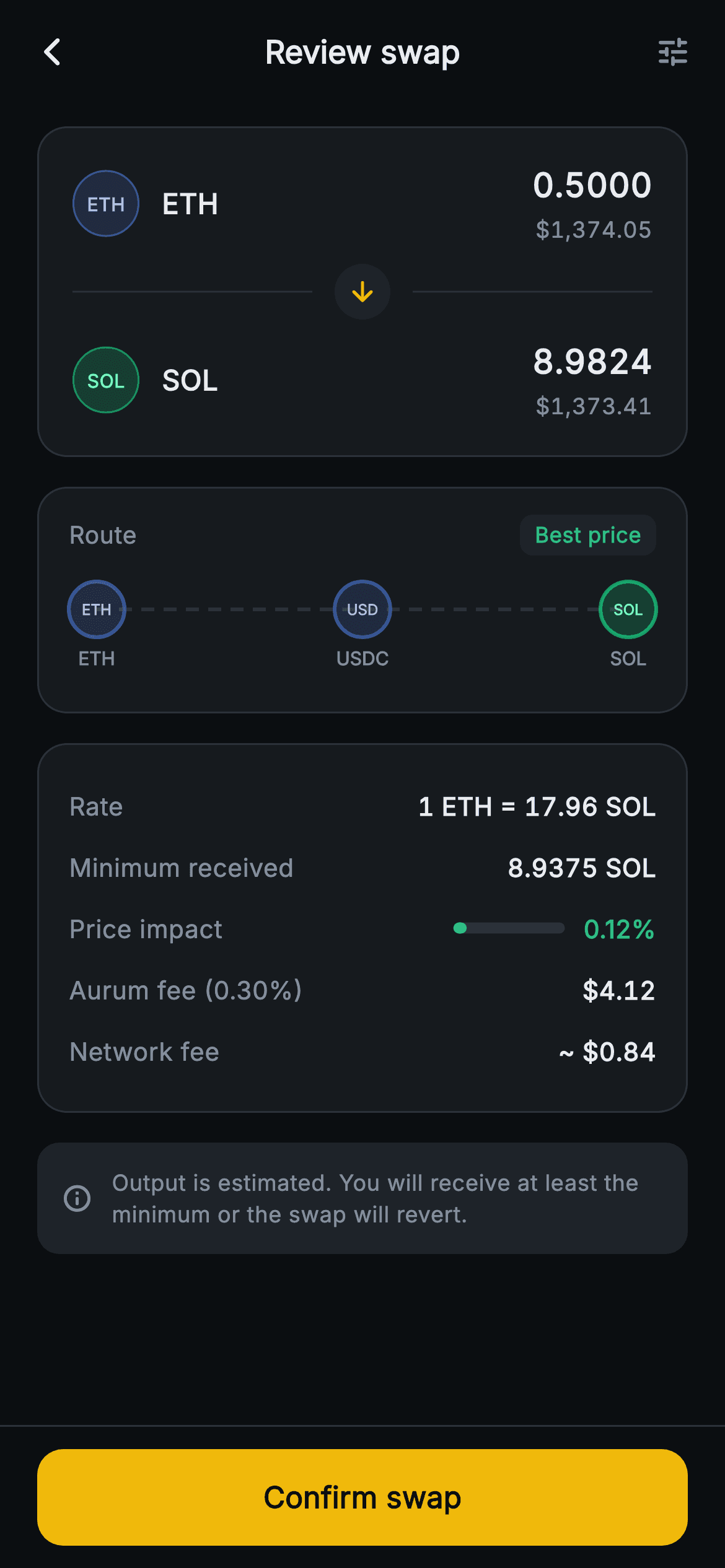
The final confirmation step before a token swap in the Aurum crypto wallet. A forced dark Scaffold (#0B0E11) opens with a centered "Review swap" AppBar carrying a back chevron and a tune action. The first card is the swap hero: a 0.5000 ETH line with its blue painted badge and $1,374.05 sub, a centered downward-arrow chip splitting two hairline dividers, then the 8.9824 SOL output with a green badge and $1,373.41. Below, a "Route" card shows a "Best price" pill and a CustomPainter (`_RoutePainter`) that strokes a dashed connector through three tinted hop circles — ETH → USDC → SOL — each with TextPainter glyph and label, so no network images or icon fonts are used. A details card lists Rate (1 ETH = 17.96 SOL), Minimum received, a painted price-impact bar (`_ImpactBar`, green→amber→red) reading 0.12%, the Aurum fee and network fee in tabular figures. A muted note warns output is estimated. A pinned bottom bar holds the amber "Confirm swap" FilledButton. Pure Flutter, bundled Inter; onBack/onConfirm/onSettings keep it backend-agnostic.
Full tutorial coming soon.
The step-by-step walkthrough and complete Dart source for this screen haven't been published yet. They'll be free when they are — no sign-up, no payment. In the meantime, browse the screens that already have their tutorial.
What's included
- ✓Swap hero card with from/to amount lines, painted ETH and SOL ticker badges, USD subs and a centered arrow-chip divider
- ✓`_RoutePainter` CustomPainter rendering a dashed multi-hop route (ETH→USDC→SOL) with tinted circles and TextPainter labels — no icon fonts or network images
- ✓`_ImpactBar` CustomPainter price-impact meter that shifts green→amber→red as the impact fraction grows
- ✓Details card of Rate, Minimum received, price impact, Aurum fee (0.30%) and network fee in tabular-figure rows
- ✓Pinned SafeArea bottom bar with an amber 'Confirm swap' FilledButton plus onBack / onConfirm / onSettings callbacks
- ✓Forced dark ThemeData, bundled Inter font and a slippage-revert info note, all self-contained pure Flutter
Use cases
- ✓Final confirm step of a token swap flow in a Web3 or DeFi wallet
- ✓Cross-chain or aggregator app showing the chosen route and price impact before signing
- ✓Crypto exchange app summarizing rate, minimum received and fees pre-trade
- ✓DEX interface confirming an estimated output with slippage-revert protection


