Aurum · Staked
Aurum · Staked is a production-ready Web3 Flutter screen from FlutterKit — free, with full source code.
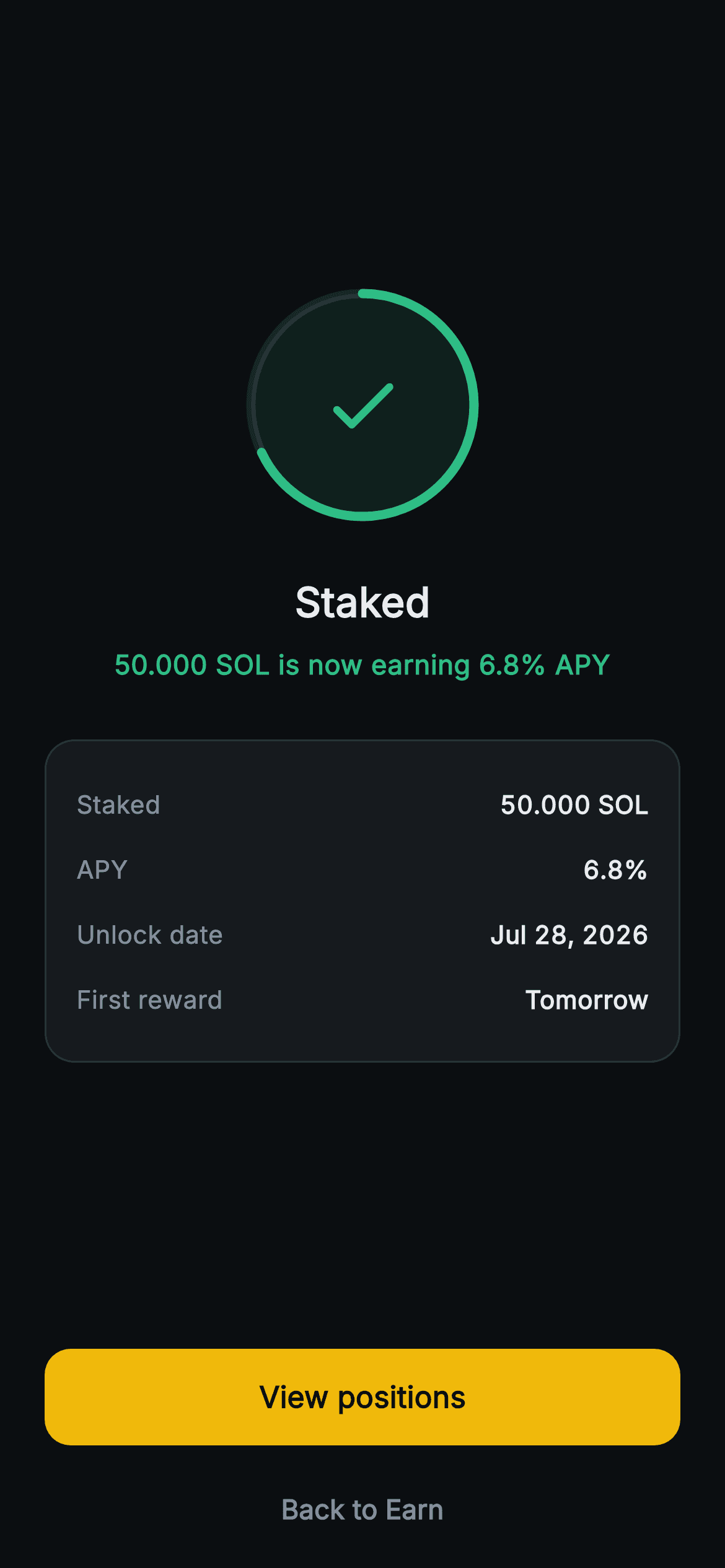
The final beat of Aurum's staking flow. Centred on a 128px painted progress ring — a CustomPainter draws a translucent fill, a faint full-circle track and a rounded-cap green arc swept to 68% — with a check icon at its core, all in the validator-green accent. Below, an w800 "Staked" headline and a green confirmation line ("50.000 SOL is now earning 6.8% APY"). A rounded dark recap card lists four labelled rows — Staked 50.000 SOL, APY 6.8%, Unlock date Jul 28 2026, First reward Tomorrow — value text using tabular figures so numbers stay column-aligned. A full-width gold "View positions" FilledButton and a muted "Back to Earn" TextButton pin the bottom. Pure Flutter: forced dark ThemeData so it renders standalone as a route, bundled Inter font, the ring drawn entirely by canvas (no glyphs, no network image), and both buttons wired to onViewPositions / onDone callbacks so it stays backend-agnostic. Uses Spacers for a vertically balanced, overflow-safe layout.
Full tutorial coming soon.
The step-by-step walkthrough and complete Dart source for this screen haven't been published yet. They'll be free when they are — no sign-up, no payment. In the meantime, browse the screens that already have their tutorial.
What's included
- ✓web3_stake_success_screen.dart — a single self-contained StatelessWidget, pure Flutter (Flutter SDK + dart:math only)
- ✓_RingPainter CustomPainter: 68% rounded-cap arc over a translucent fill and faint track, no glyphs or network images
- ✓Four-row recap card (Staked, APY, Unlock date, First reward) with tabular-figure values for column-aligned numbers
- ✓Gold full-width 'View positions' FilledButton plus muted 'Back to Earn' TextButton
- ✓onViewPositions and onDone VoidCallback hooks for backend-agnostic navigation
- ✓Forced dark ThemeData with bundled Inter font and the Aurum green/gold palette for standalone routing
Use cases
- ✓Confirmation screen after staking SOL or another token in a crypto wallet
- ✓DeFi yield app showing a freshly opened earn position with APY and unlock date
- ✓Validator-staking flow end state linking through to a positions list
- ✓Onboarding reward step confirming a user's first staked balance and next payout


