Pulse · Share Sheet
Pulse · Share Sheet is a production-ready Social Flutter screen from FlutterKit — free, with full source code.
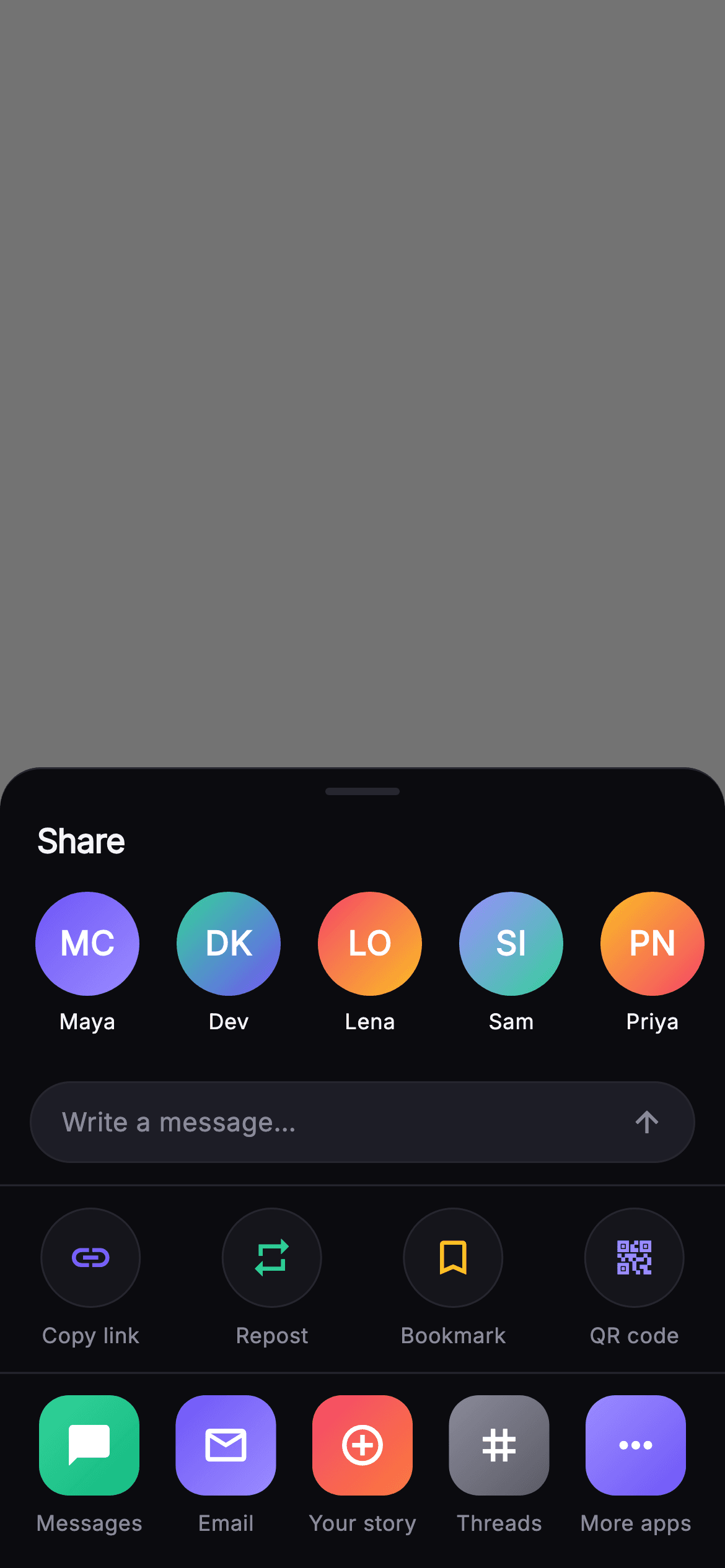
The Pulse Share Sheet is a bottom-sheet share surface for a social post, rendered over a 55%-black dimmed backdrop whose top area is a tap-to-dismiss GestureDetector wired to onClose. The sheet itself has a rounded 22px top, a hairline top border, and a 40x4 drag handle centered above a left-aligned 'Share' title in bundled Inter. Below it, a horizontal ListView.separated forms the send-to-DM rail: five _PersonTile avatars (Maya, Dev, Lena, Sam, Priya) rendered as 56px gradient circles with two-letter initials and a first-name label, each tapping onSend with the person's handle. Under the rail sits a rounded _MessageField pill reading 'Write a message…' with an arrow_upward glyph. A hairline Divider separates a spaceAround Row of four _ActionTile circles — Copy link, Repost, Bookmark, QR code — each a bordered surface circle with a colored Material icon that fires onAction with its id. A second Divider leads to a spaceBetween Row of five _DestTile app squares — Messages, Email, Your story, Threads, More apps — as 16px rounded gradient tiles firing onDestination. The palette is Pulse's dark near-mono (#0B0B0F background, #15151B / #1D1D26 surfaces, #26262F hairlines, #F4F4F7 text, #8A8A99 muted) accented with indigo #6E56F7 and multi-hue gradients. Everything is self-contained pure Flutter: bundled Inter font, own dark ThemeData, SafeArea, MainAxisSize.min, overflow-proof with ellipsis labels and no network images. It is a backend-agnostic drop-in wired entirely through injected onClose, onSend, onAction, and onDestination callbacks.
Full tutorial coming soon.
The step-by-step walkthrough and complete Dart source for this screen haven't been published yet. They'll be free when they are — no sign-up, no payment. In the meantime, browse the screens that already have their tutorial.
What's included
- ✓_PersonTile send-to-DM rail: five gradient avatar circles with computed two-letter initials and first-name labels in a horizontal ListView.separated
- ✓_MessageField pill: rounded 'Write a message…' input with an arrow_upward send glyph on a #1D1D26 surface
- ✓_ActionTile row: four bordered surface circles — Copy link, Repost, Bookmark, QR code — each with its own accent-colored Material icon
- ✓_DestTile destinations grid: five 16px rounded gradient app squares (Messages, Email, Your story, Threads, More apps) firing onDestination by id
- ✓Four injected callbacks — onClose, onSend(handle), onAction(id), onDestination(id) — plus a tap-to-dismiss dimmed backdrop GestureDetector
- ✓Self-contained styling: bundled Inter font, Pulse dark near-mono palette with indigo #6E56F7, drag handle, SafeArea and overflow-proof labels
Use cases
- ✓Drop in as the share sheet that appears when a user taps share on a feed post or profile in a social app
- ✓Reuse the send-to-DM rail and message field to forward posts directly into chat threads with a note
- ✓Wire the QR code and Copy link action tiles into an invite or deep-link sharing flow
- ✓Adapt the destinations grid to route posts out to external apps, email, or a story-creation surface


