Pulse · Media Viewer
Pulse · Media Viewer is a production-ready Social Flutter screen from FlutterKit — free, with full source code.
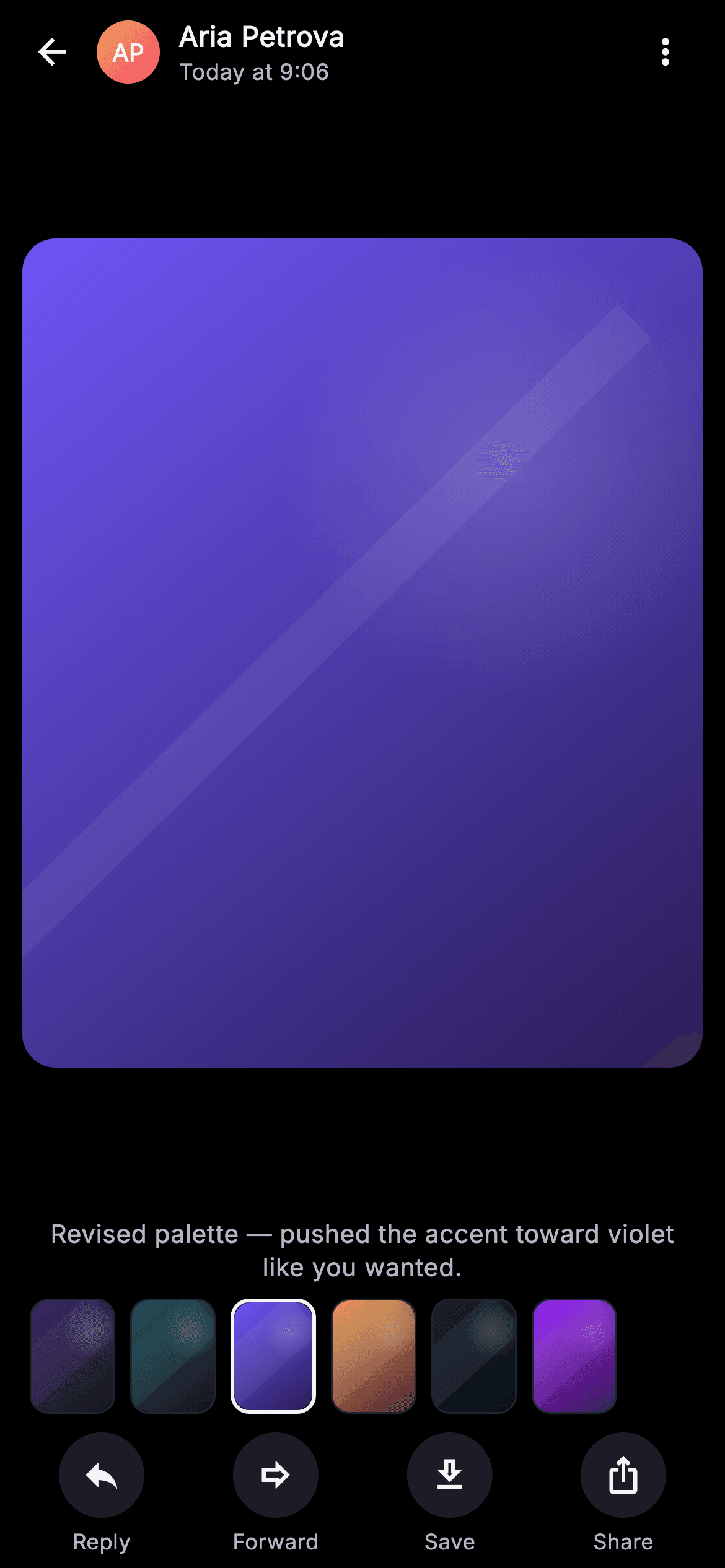
The Pulse Media Viewer is the full-screen photo experience opened from a chat thread. Under a SafeArea Column on a pure-black Scaffold, a translucent top bar carries a back arrow, a gradient monogram avatar painted by _MonogramPainter (initials 'AP' on an orange-to-pink disc), the sender name 'Aria Petrova' in bold Inter over a muted 'Today at 9:06' timestamp, and a more-vert menu. The center Expanded region holds the opened image as an AspectRatio (0.82) ClipRRect with an 18px radius, rendered by _MediaPainter: a diagonal linear gradient, a soft radial light disc, and a faint white streak — here the violet seed-2 palette (#6E56F7 to #2A1C55). Below sits a centered caption in low-contrast Inter, then a 62px horizontal ListView.separated thumbnail strip of six painted photos where the active item (index 2) gets a 2px bright border. A bottom SafeArea action bar spaces four labeled circular buttons — Reply, Forward, Save, Share — each a _surfaceAlt disc with an Inter caption. Palette is Pulse's dark near-mono with indigo #6E56F7 accents, textHi #F4F4F7 over textLo #B5B5C2 and #26262F hairlines. Fully self-contained pure Flutter: bundled Inter font, its own ThemeData.dark theme, SafeArea top and bottom, overflow-proof, no network images — every photo and avatar is painted at runtime. Backend-agnostic drop-in wired through injected onBack, onMore, onReply, onForward, onSave and onShare callbacks.
Full tutorial coming soon.
The step-by-step walkthrough and complete Dart source for this screen haven't been published yet. They'll be free when they are — no sign-up, no payment. In the meantime, browse the screens that already have their tutorial.
What's included
- ✓_MediaPainter CustomPainter: gradient + radial light disc + diagonal streak, six seeded palettes for the hero photo and every thumbnail
- ✓_MonogramPainter avatar painting gradient-disc initials so the sender chip needs no network image
- ✓Translucent top bar: back arrow, avatar, bold sender name over timestamp, and more-vert menu
- ✓62px horizontal ListView.separated thumbnail strip with an active-index bright 2px border
- ✓Bottom SafeArea action bar of four circular labeled buttons — Reply, Forward, Save, Share
- ✓Six injected VoidCallback hooks (onBack, onMore, onReply, onForward, onSave, onShare) and bundled Inter font
Use cases
- ✓Open a photo shared inside a direct-message or group chat thread full-screen
- ✓Let recipients reply, forward, save, or share an attached image inline
- ✓Swipe the thumbnail strip to browse every photo exchanged in the conversation
- ✓Attribute the media to its sender with avatar, name, and sent timestamp


