Aurum · Order Type
Aurum · Order Type is a production-ready Web3 Flutter screen from FlutterKit — free, with full source code.
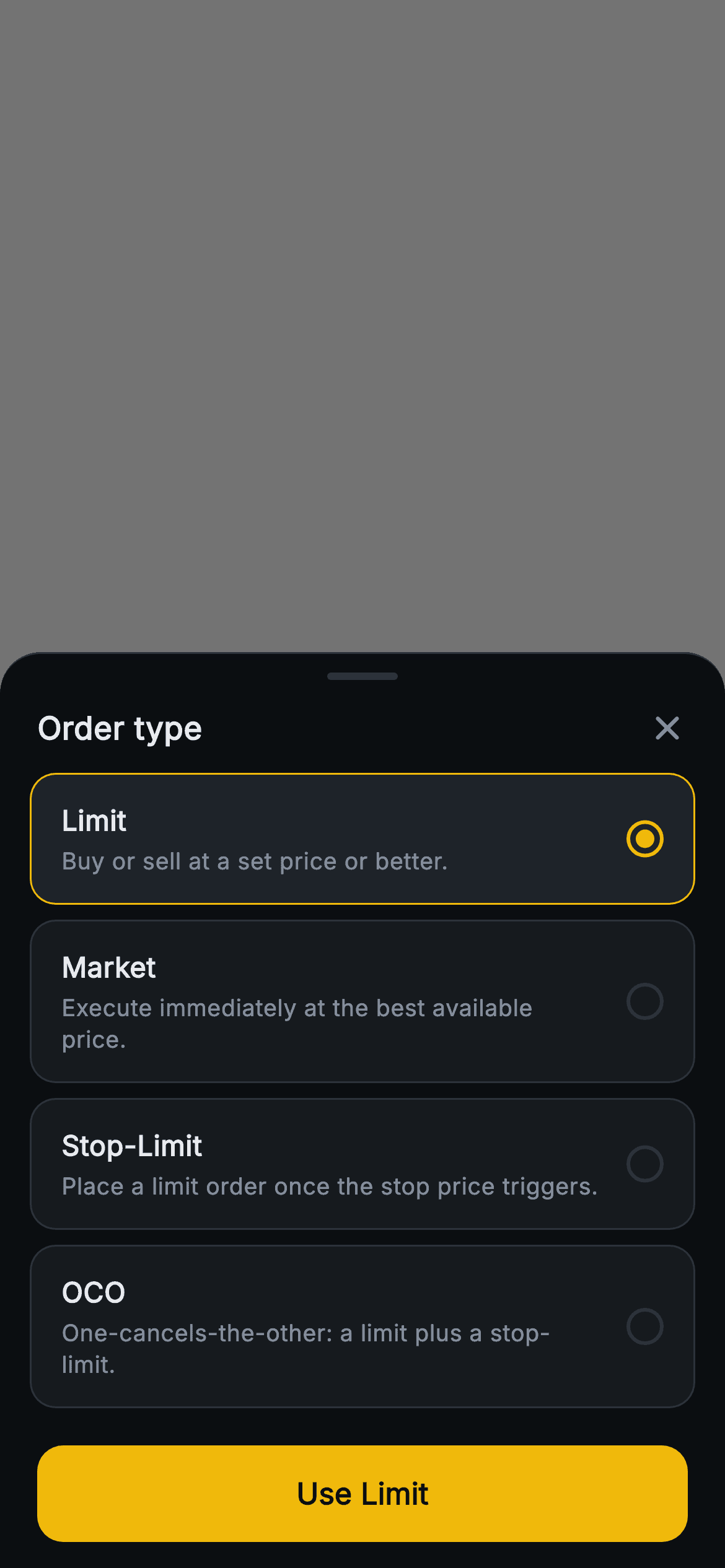
This screen is a modal bottom sheet that slides up over a dimmed black scrim, letting a trader choose the order type before placing a trade on the Aurum exchange. A rounded top sheet carries a grab handle, an "Order type" title in heavy Inter, and a close X. Below sit four selectable cards — Limit ("Buy or sell at a set price or better."), Market ("Execute immediately at the best available price."), Stop-Limit ("Place a limit order once the stop price triggers.") and OCO ("a limit plus a stop-limit.") — each pairing a bold label with a muted explainer and a radio dot. The active card gets an amber (#F0B90B) border and a filled radio; the rest stay on hairline borders. A full-width amber "Use Limit" button updates its label live to the chosen type. Built in pure Flutter: the radio is a hand-composed circle with a DecoratedBox inner dot (no asset, no glyph), the rows come from a const list via List.generate with setState selection, the sheet forces a dark theme to render standalone, and onClose / onSelect callbacks keep it backend-agnostic.
Full tutorial coming soon.
The step-by-step walkthrough and complete Dart source for this screen haven't been published yet. They'll be free when they are — no sign-up, no payment. In the meantime, browse the screens that already have their tutorial.
What's included
- ✓Modal bottom-sheet scaffold over a 55% black tap-out scrim with rounded top, grab handle and close X, wired to an onClose callback
- ✓Four order-type cards (Limit, Market, Stop-Limit, OCO) each with a bold title plus a muted one-line explainer of how that order behaves
- ✓Custom radio indicator: an outlined circle with a DecoratedBox inner dot, amber when selected, hairline when not — no image assets or icon glyphs
- ✓Single-select logic via List.generate over a const list and setState, swapping card surface colour and border to amber on the active row
- ✓Full-width amber FilledButton whose label reads "Use " + the selected type and fires an onSelect(String) callback with the chosen order type
- ✓Bundled Inter font and a forced ThemeData.dark so the sheet renders correctly as a standalone route, pure Flutter SDK + dart: only
Use cases
- ✓Crypto exchange or DEX app where users pick Limit vs Market vs Stop-Limit vs OCO before submitting a trade
- ✓Stock or forex trading app needing a reusable order-type selector sheet ahead of the order ticket
- ✓Onboarding or education flow that explains each order type with short inline descriptions before the first trade
- ✓Any finance app that needs a dark-themed single-select bottom sheet with a live confirm button label


