Pulse · Video Call
Pulse · Video Call is a production-ready Social Flutter screen from FlutterKit — free, with full source code.
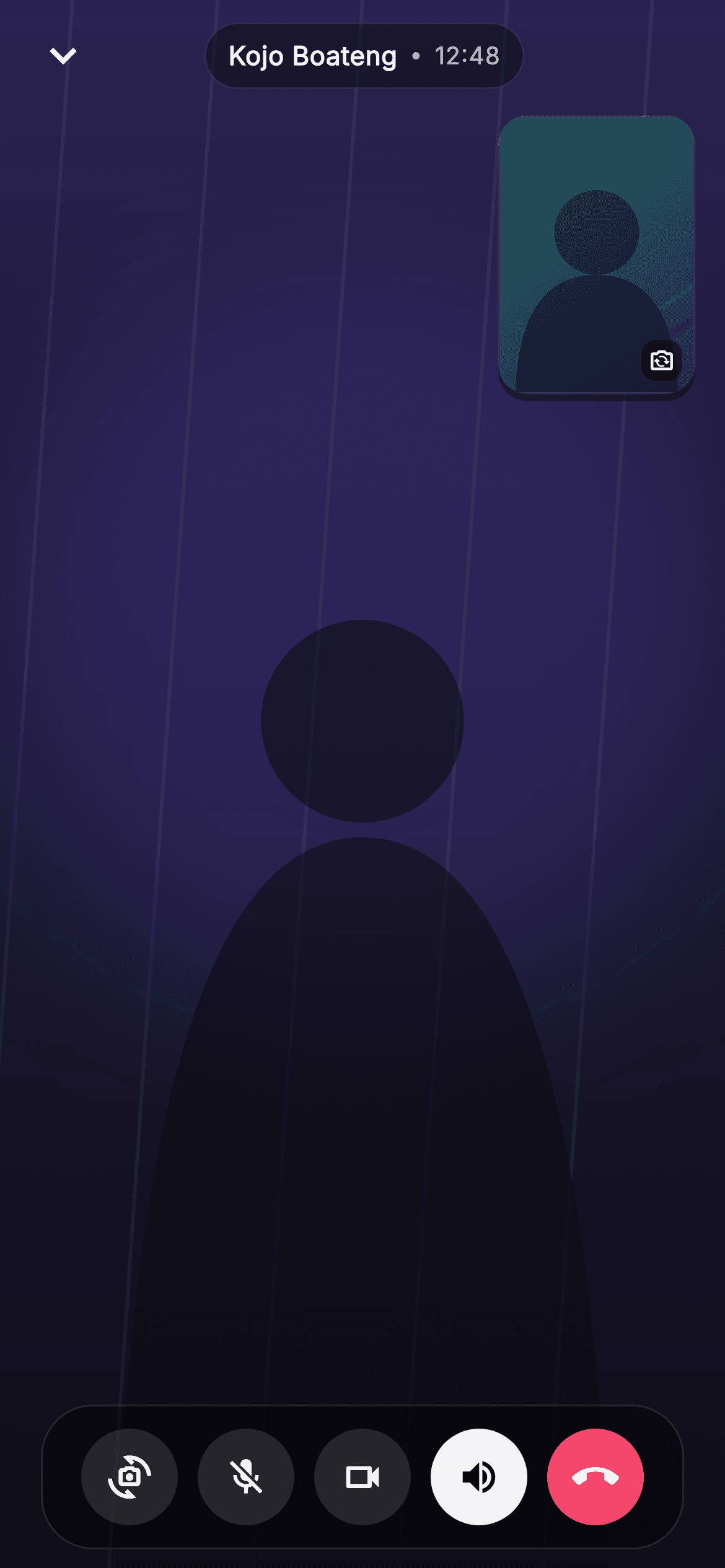
Video Call is the active-call screen for the Pulse social + chat app, rendered as a full-bleed Stack over a pure-black Scaffold. The backdrop is a painted remote-video placeholder from the _RemoteScenePainter: a dusk vertical gradient (deep indigo #2A2350 down to near-black #0E0C18), a soft blurred #6E56F7 radial glow behind the subject, five faint diagonal light streaks, and a centered head-and-shoulders silhouette built from a circle plus a quadratic-bezier path. A SafeArea Column layers the UI: a top status bar with a chevron-down back IconButton on the left and a translucent, hairline-bordered pill showing the caller name 'Kojo Boateng', a tiny divider dot, and a running '12:48' timer. The Expanded middle region top-right aligns a 106x150 rounded self-view PiP, its own _SelfScenePainter painting a brighter teal-to-indigo gradient with a smaller silhouette and a flip-camera badge tucked in the corner. A floating glass control bar sits near the bottom: circular flip, mute, video-off, an active white speaker toggle, and a red #F4476B call-end button. Interactions are wired through injected callbacks (onBack, onEnd, onFlip) so it is fully backend-agnostic. Self-contained pure Flutter per CONVENTIONS.md: bundled Inter font, own dark theme, SafeArea, overflow-proof, no network images.
Full tutorial coming soon.
The step-by-step walkthrough and complete Dart source for this screen haven't been published yet. They'll be free when they are — no sign-up, no payment. In the meantime, browse the screens that already have their tutorial.
What's included
- ✓_RemoteScenePainter — full-bleed dusk gradient, blurred indigo glow, diagonal light streaks, and a head-and-shoulders silhouette path
- ✓_SelfScenePainter — the corner self-view PiP with its teal-to-indigo gradient and smaller silhouette
- ✓Floating status pill combining the caller name 'Kojo Boateng', a divider dot, and a running '12:48' call timer
- ✓Glass control bar with flip, mute, video-off, an active white speaker toggle, and a red call-end button
- ✓Injected onBack, onEnd, and onFlip callback hooks for backend-agnostic wiring
- ✓Bundled Inter font, dark ThemeData, SafeArea and Stack layout that stays overflow-proof with no network images
Use cases
- ✓The active video-call screen for a social or chat app's one-to-one calling flow
- ✓Drop-in in-call UI for a messaging product adding video alongside voice calls
- ✓A design reference for building a self-view PiP and floating glass call controls in Flutter
- ✓Prototype or pitch demo of a premium dark-mode calling experience without a real WebRTC backend


