Pulse · Edit Links
Pulse · Edit Links is a production-ready Social Flutter screen from FlutterKit — free, with full source code.
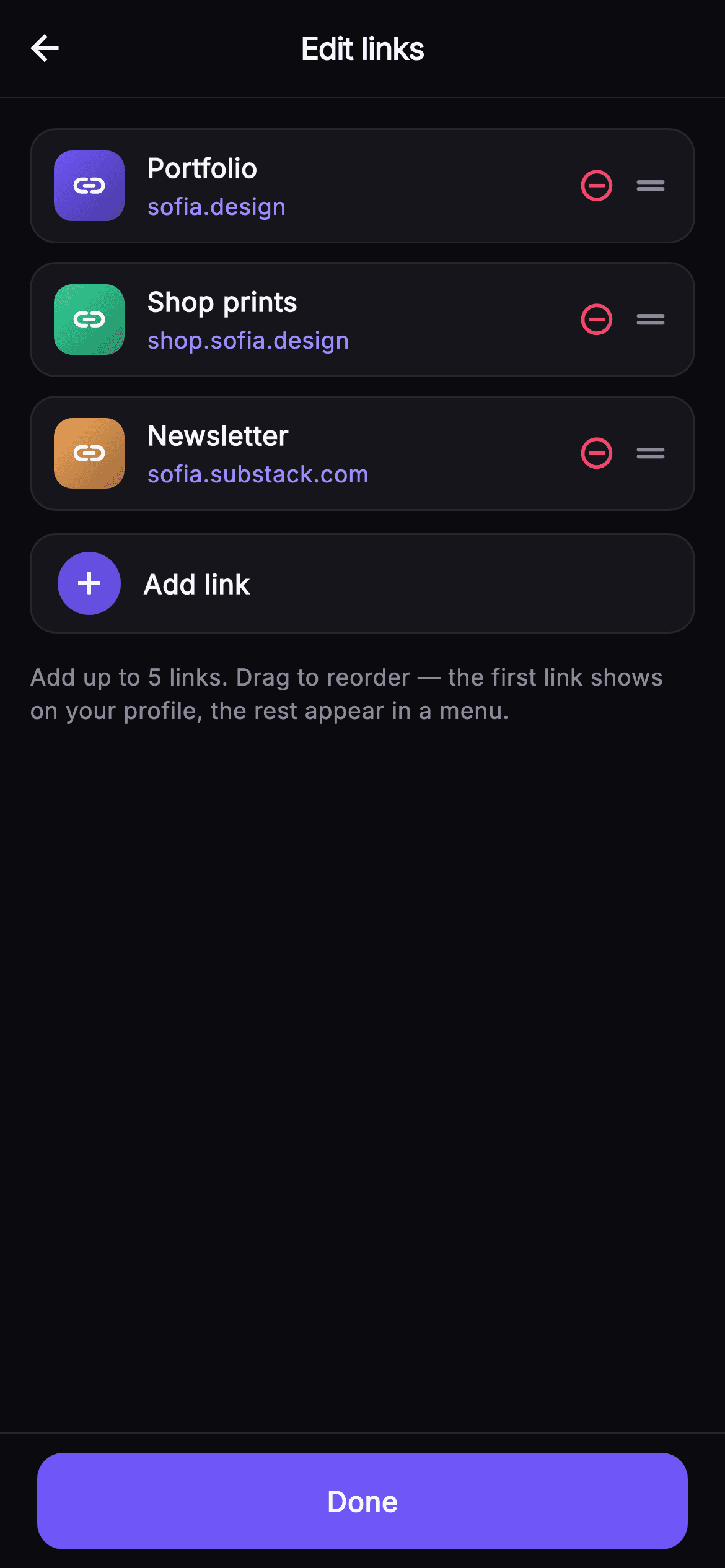
Edit Links is the screen where a Pulse user curates the external links that show on their profile. A 52px top bar holds a back arrow and a centered, tightly-tracked w800 "Edit links" title, underlined by a hairline Divider. Below, a scrolling ListView renders each saved link as a _LinkRow: a 38px rounded tile with a per-link diagonal LinearGradient (indigo, emerald, amber) and a white link_rounded glyph, then a two-line stack of the bold title (ellipsis-clamped) and the URL in the lighter #9B8CFF accent, followed by a danger-pink remove_circle_outline button and a muted drag_handle_rounded affordance. Tapping remove calls setState to drop that row from the _links list live. An _addRow with a filled brand-indigo plus circle sits beneath; once five links exist it dims, its label flips to "Maximum of 5 links reached", and the tap is disabled. A muted 12.5px hint explains that the first link shows on the profile and the rest fold into a menu. A pinned bottom bar carries the full-width #6E56F7 Done button. It is self-contained pure Flutter — bundled Inter font, its own #0B0B0F dark theme, SafeArea top and bottom, and no network images — backend-agnostic and wired through injected onBack, onDone, and onAdd callbacks so you drop it into any profile stack.
Full tutorial coming soon.
The step-by-step walkthrough and complete Dart source for this screen haven't been published yet. They'll be free when they are — no sign-up, no payment. In the meantime, browse the screens that already have their tutorial.
What's included
- ✓_LinkRow widget with a per-link diagonal LinearGradient tile, link_rounded glyph, title + accent-URL stack, remove button and drag_handle_rounded
- ✓Live remove behaviour: _remove(i) calls setState to drop a link from the _links list immediately
- ✓_addRow that disables and dims to "Maximum of 5 links reached" once the list hits 5 entries
- ✓Pinned SafeArea Done bar with a full-width #6E56F7 brand button plus a muted 5-link reorder hint
- ✓Injected onBack, onDone and onAdd VoidCallback hooks for backend-agnostic wiring
- ✓Self-contained dark theme (#0B0B0F bg, #15151B surface, #26262F hairline) with bundled Inter font and SafeArea
Use cases
- ✓Let creators manage the portfolio, shop and newsletter links surfaced on their public profile
- ✓Cap and prioritize outbound links with a first-link-featured rule and a 5-link maximum
- ✓Provide the link-editing step of a profile setup or edit-profile flow
- ✓Reuse the gradient link-row and drag-handle pattern for any reorderable list-management screen


